# BeforeAfterSlider
 [](https://www.npmjs.com/package/before-after-slider) [](https://github.com/VincentTV/before-after-slider/blob/master/LICENSE) [](https://vincef0ng.cn)
###### [中文 README](README-zh_CN.md)
BeforeAfterSlider is a lightweight Javascript library without any dependencies, to compare images in before/after view.
- Support mousemove & touchmove.
- Lightweight, only 9KB.
- Adaptive width.
- Custom image, size & slider etc.
- Adaptive centering without any CSS.
- API simple and easy to use.
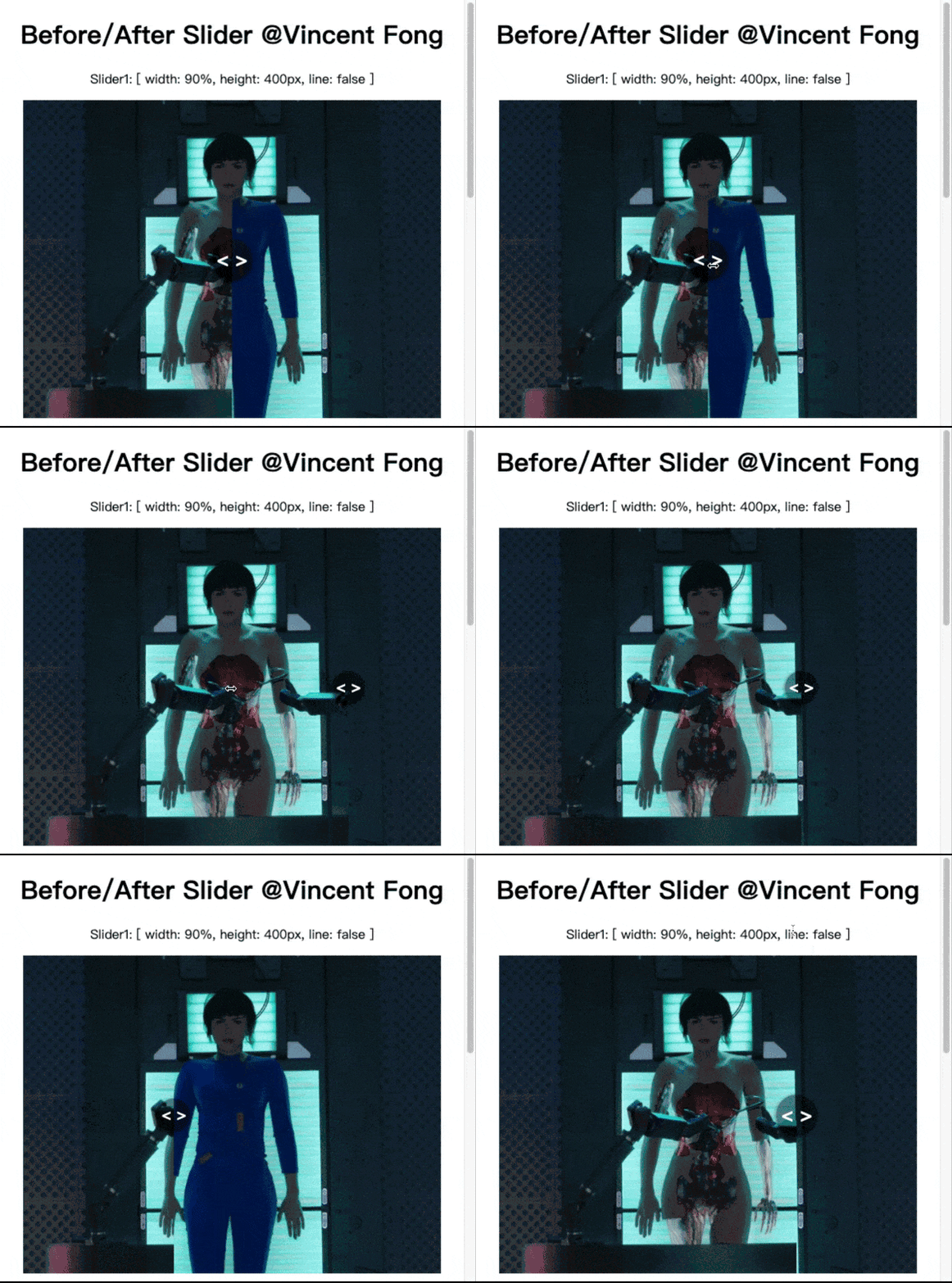
## Demo
Online demo is available on the [Github page](https://vincenttv.github.io/before-after-slider/example).
***
## Getting Started
* Support:
* Direct `
```
If you use ES Modules, you can include by this:
```html
```
Using:
```html
```
### NPM install
```shell
npm install before-after-slider --save
```
**Vue for example**
```html
```
## Options
| Option | Type | defalut | Description |
| :------------ | :------- | :------------------ | :------------------------------ |
| el | String | required | The container, "#sliderId" |
| beforeImg | String | required | before-image URL |
| afterImg | String | required | after-image URL |
| width | String | '100%' | slide-wrap width,(%,px,em,rem) |
| height | String | none | slide-wrap height |
| line | Boolean | true | Dividing line |
| lineColor | String | 'rgba(0, 0, 0, .5)' | Dividing line color |
## By the way
**Make sure the two images are the same size.**
**🤪AND Welcome to visit my blog.🤪 [https://vincef0ng.cn](https://vincef0ng.cn/)**
## How to Contribute
Anyone and everyone is welcome to contribute to this project. The best way to start is by checking our [open issues](https://github.com/VincentTV/before-after-slider/issues),[submit a new issues](https://github.com/VincentTV/before-after-slider/issues/new?labels=bug) or [feature request](https://github.com/VincentTV/before-after-slider/issues/new?labels=enhancement), participate in discussions, upvote or downvote the issues you like or dislike.
## License
[**The MIT License**](http://opensource.org/licenses/MIT).